
We can find a regex pattern and do a replace as mentioned below. This is very helpful when we are doing bulk replacing.
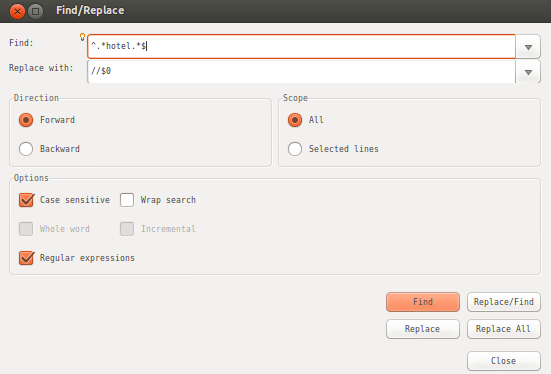
eg : Comment all the lines containing a word (selectedWord)
Steps :
- Ctrl + F
- Find ^.selectedWord.$
- Replace //$0
- Options : Check Regular Expressions
 Knowledge Hunter