
Setup a VM :
To play-around with Ansible we need to have another Machine. Since, I don’t have another PC I downloaded a Virtual Machine to setup.
I downloaded the Ubuntu 20.04 LTS for this.
Find available Linux VMs @ here : https://www.linuxvmimages.com/
I selected the VM Ware Player to run this. Main reasons are it is free, it is light weight. Comparatively it’s UI is not that much sophisticated. But for my use case it is best suit since I’m mostly accessing it through Terminal.
Note : When you are installing VM Ware Player, you need to install VIX as well
Install VMware Workstation Player
VMware Workstation Player is the free version for VMWare.
It can be downloaded using below link
https://my.vmware.com/en/web/vmware/downloads/info/slug/desktop_end_user_computing/vmware_workstation_player/14_0
Then you will get VMware-Player-14.1.7-12989993.x86_64.bundle
Then run sudo ./VMware-Player-14.1.7-12989993.x86_64.bundle to install it.
You can run it as VMPlayer.
Note : Select “Non-commercial use only” option
Install VMware-VIX
VMware-VIX is needed to link the GNS3 with the GNS3 VM.
It can be downloaded using below link
Then run sudo ./VMware-VIX-1.17.0-6661328.x86_64.bundle to install it.
Note :
VMware-VIX version and VMware Workstation Player must be alligned.
eg : VMware-VIX-1.17 is working with VMware-Player-14. You can see that in the VMware-VIX download link also. Otherwise you’ll get some errors when GNS3 trying to connect to the GNS3VM
Anyway check this to decide any other option you are looking for.
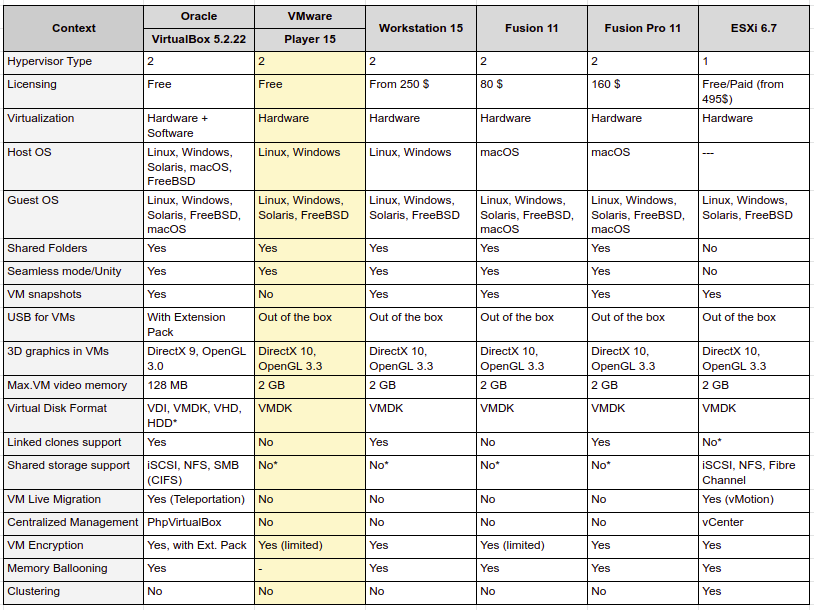
reference :
Open the downloaded VM in VMWare Player. And Power it On!
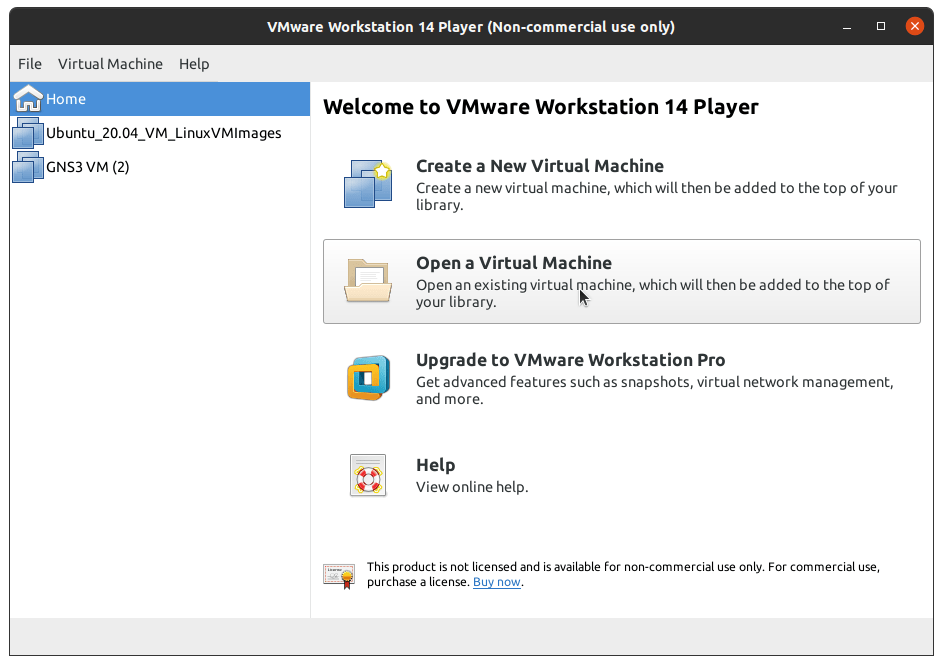
Note : Password is “ubuntu”
Installing Ansible
Installing Ansible is strraight forward.
sudo apt update
sudo apt install ansible
Once it is installed you can try out $ ansible –version to check the installation.
Reference : https://docs.ansible.com/ansible/latest/installation_guide/intro_installation.html
https://knowledgehunter.code.blog/2020/10/10/getting-ready-n-ansible-ping/ Next >>
 Knowledge Hunter