
In eclipse IDE go to…
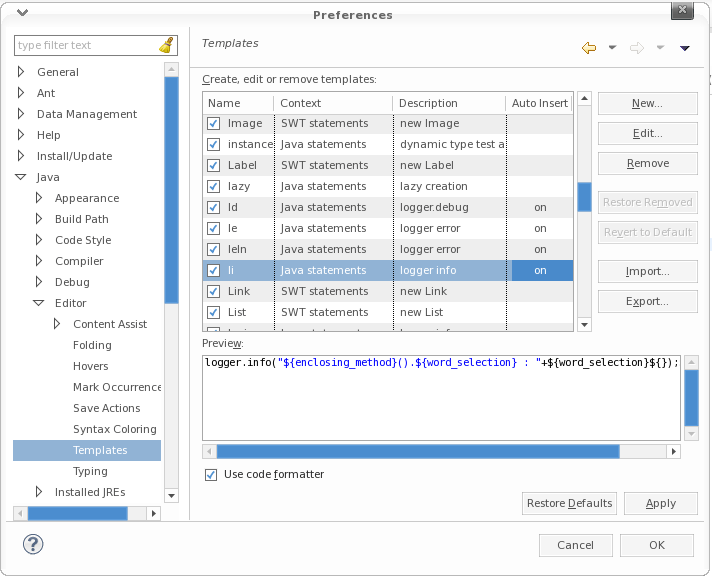
- Windows > Preferences
- Java > Editor > Templates
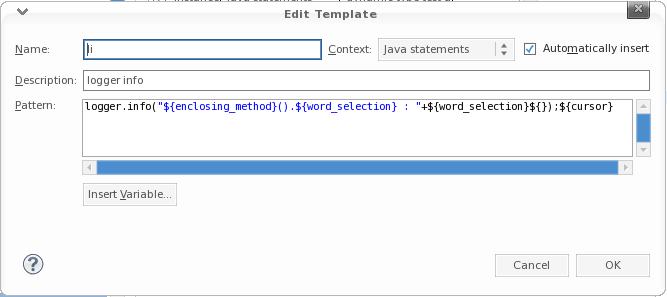
- Create a new template OR select the Existing one to edit
- Add this pattern in there
logger.info("${enclosing_method}().${word_selection} : " + ${word_selection}${});${cursor}
References :
- http://poojapainter11.wordpress.com/2013/08/10/eclipse-shortcuts/
- http://www.grobmeier.de/log4j-2-performance-close-to-insane-20072013.html
- http://eannaburke.wordpress.com/2013/06/28/a-rudimentary-logger/
 Knowledge Hunter