
1. Python Code
Create a file named: google_cloud_tr.py
from fastapi import FastAPIfrom google.cloud import translate_v3 as translateapp = FastAPI()PROJECT_ID = "<your-project-id>"LOCATION = "global"app.get("/translate")def translate_text(text: str, target: str): client = translate.TranslationServiceClient() parent = f"projects/{PROJECT_ID}/locations/{LOCATION}" response = client.translate_text( request={ "parent": parent, "contents": [text], "mime_type": "text/plain", "target_language_code": target, } ) return { "translatedText": response.translations[0].translated_text }
2. Provide the Google Cloud JSON Key as an Environment Variable
- Search for and enable: Cloud Translation API
- Double check: APIs & Services > Enabled APIs
- Then: IAM & Admin > Service Accounts
Steps:
- Create a Service Account
- Add one of these roles:
- Cloud Translation API User
- Cloud Translation Admin
- or a higher role
- Create and download the JSON key (e.g.: service-account.json)
- Save it inside your project directory (D:\path\to\directory\google-cloud-translation\)
Provide the JSON key path as an environment variable:
$env:GOOGLE_APPLICATION_CREDENTIALS="D:\path\to\directory\google-cloud-translation\service-account.json"
3. Run the API
Create and activate a virtual environment:
python -m venv venv.\venv\Scripts\Activate.ps1
Install prerequisites:
pip install google-cloud-translate fastapi uvicorn
Run the API:
uvicorn google_cloud_tr:app --reload
4. Test the Result
Request:
GET http://127.0.0.1:8000/translate?text=The Strait of Hormuz has emerged as the central battleground of the Iran conflict.&target=es
Example response:
{"translatedText": "El Estrecho de Ormuz ha surgido como el principal campo de batalla del conflicto con Irán."}
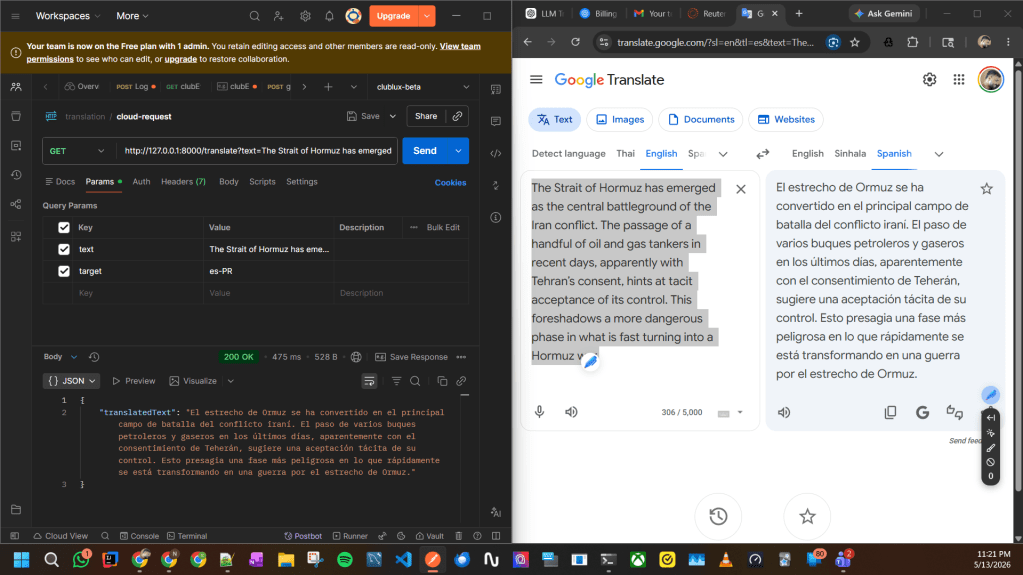
Note:
Google Cloud Translation mainly handles language translation.
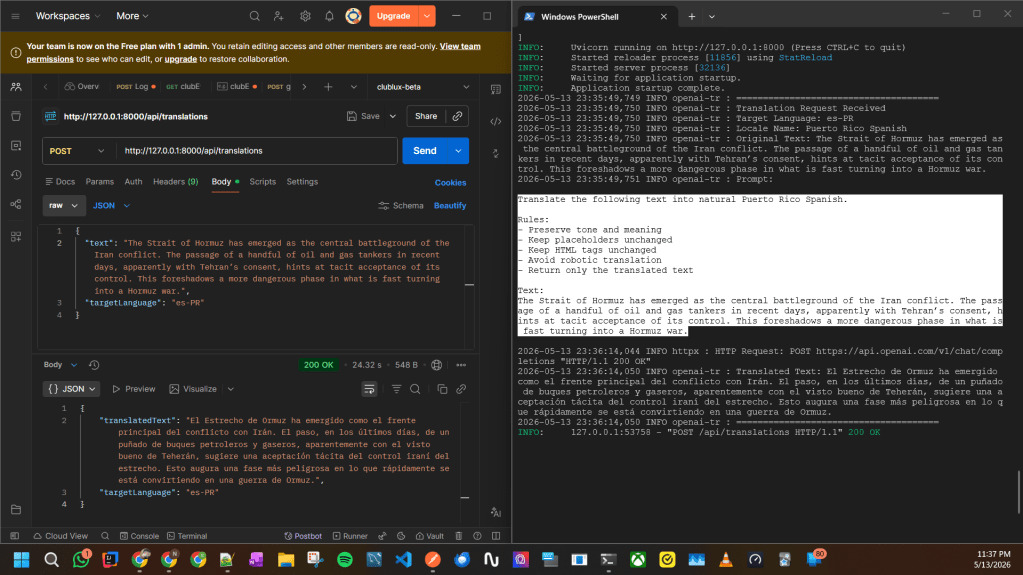
For advanced regional localization (such as Puerto Rico Spanish, slang, or tone-specific translation), an LLM-based approach like OpenAI may provide more natural results. Please refer this.
 Knowledge Hunter